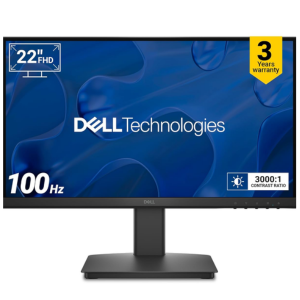
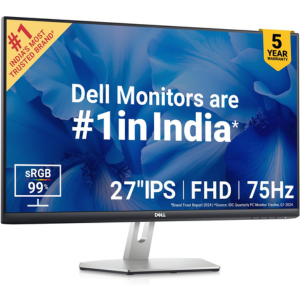
Best Dell Monitors Reliable, Durable, and Affordable
Enhance your productivity with Dell monitors built for clarity and performance.
Nagpur Based Expert Support
Top Dell Monitor for daily use in 2025

![Dell P2725H 27 Inch FHD IPS Monitor, Anti-Glare, 99% SRGB, 100Hz, 5Ms (Fast), Ports_ HDMI(1), DP 1.2, VGA, 3X USB 3.2 Gen1 (A), USB 3.2 Gen1 Type-C [15W PD] _ Height Tilt Swivel Pivot](https://computercentral.in/wp-content/uploads/2025/07/Dell-P2725H-27-Inch-FHD-IPS-Monitor-Anti-Glare-99-SRGB-100Hz-5Ms-Fast-Ports_-HDMI1-DP-1.2-VGA-3X-USB-3.2-Gen1-A-USB-3.2-Gen1-Type-C-15W-PD-_-Height-Tilt-Swivel-Pivot.png)


Why Nagpur buys from Computer Central?
Screen Calibration
Repair & Replacement
Cleaning & Maintenance
Remote Troubleshooting
Is a monitor with built-in speakers worth it?
Built-in speakers save space but usually offer basic sound quality. Consider external speakers or headphones for better audio.
Frequently Asked Questions
Dell UltraSharp and P-Series monitors are great for office productivity. They offer clear resolution, ergonomic stands, and eye comfort features.
Check power and cable connections, ensure the correct input source is selected, and try restarting the device. If the issue persists, test the monitor on another system.
Go to your computer’s Display Settings and select the recommended resolution supported by the monitor. Dell monitors also offer on-screen display (OSD) menus for fine-tuning.
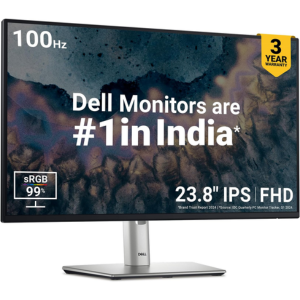
Connect both monitors to your PC/laptop, then use Display Settings to extend the display. Ensure each monitor is recognized and configured properly.
Dell UltraSharp and P-Series monitors are great for office productivity. They offer clear resolution, ergonomic stands, and eye comfort features.
Check power and cable connections, ensure the correct input source is selected, and try restarting the device. If the issue persists, test the monitor on another system.
Go to your computer’s Display Settings and select the recommended resolution supported by the monitor. Dell monitors also offer on-screen display (OSD) menus for fine-tuning.
Connect both monitors to your PC/laptop, then use Display Settings to extend the display. Ensure each monitor is recognized and configured properly.
What Customers Say about Computer Central
Rated by 100+ Customers on Google
Great service.. on time service … good customer support and product! Must visit..
Shrish G
Amazing service.
BHAGYASHREE PATIL
Seamless Display for a Next-Level Viewing Experience
Get a Free Consultation at Computer Central.
We’ll Experience Stunning Visuals with High-Definition Display.