Reliable Lenovo Mouse Performance for Work
Built for speed and accuracy Lenovo computer mouse.
Nagpur Based Expert Support
Top Smoothly Lenovo Mouse For your Daily Use
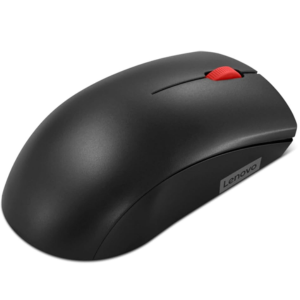

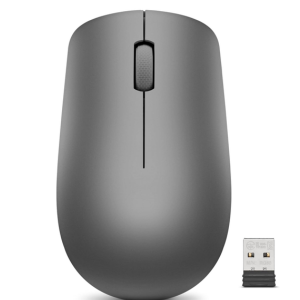
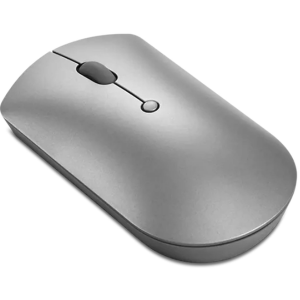
Why Nagpur buys from Computer Central?
Bluetooth & Connectivity Troubleshooting
Sensor Calibration
Battery Replacement
Warranty & Support Services

Is a wired mouse better than a wireless one?
Wired mice offer zero latency and don’t require charging, making them preferred for gaming. Wireless mice offer more flexibility and less cable clutter.
Frequently Asked Questions
To connect a Lenovo wireless mouse, plug the USB receiver into your computer’s USB port. The mouse should automatically pair.
DPI (Dots Per Inch) measures sensitivity. Some Lenovo mice have a DPI button to toggle between preset sensitivity levels. For advanced customization, use Lenovo’s software if supported.
Use a soft, lint-free cloth slightly dampened with water or alcohol-based cleaner. Avoid using harsh chemicals or soaking the device.
Most Lenovo mice come with a 1-year limited warranty, but it’s best to check the product documentation or Lenovo’s official site for model-specific details.
To connect a Lenovo wireless mouse, plug the USB receiver into your computer’s USB port. The mouse should automatically pair.
DPI (Dots Per Inch) measures sensitivity. Some Lenovo mice have a DPI button to toggle between preset sensitivity levels. For advanced customization, use Lenovo’s software if supported.
Use a soft, lint-free cloth slightly dampened with water or alcohol-based cleaner. Avoid using harsh chemicals or soaking the device.
Most Lenovo mice come with a 1-year limited warranty, but it’s best to check the product documentation or Lenovo’s official site for model-specific details.
What Customers Say about Computer Central
Rated by 100+ Customers on Google
Fantastic store for all your tech needs!
I recently visited this computer and gadgets shop and was thoroughly impressed. The staff was friendly and knowledgeable. Prices are fair, and the service is top-notch. Highly recommended for anyone looking for quality tech products and honest advice!
Jinesh Patel
When I almost gave up hope on fixing my broken display after hearing NO from several shops in Sitabuldi market that's when I spotted this shop in the hope they can fix it and to my surprise he said YES....I got so excited. The quality of service and repairs is top notch. Got fixed my display without further damaging the old one also at a reasonable price. My laptop used to lag but now it runs as good as new. Thank you @Computer Central @Nishit Ji for the wonderful work. Love it🤩
Anurag Kumar
Smooth Control with Our Advanced Optical Mouse
Get a Free Consultation at Computer Central.
Ergonomic design with precise tracking and fast clicks.