Best HP Webcam for Online Classes and Meetings
Upgrade your video chats using full HD webcam features.
Nagpur Based Expert Support
Stream Like a Pro with Full HD Webcam
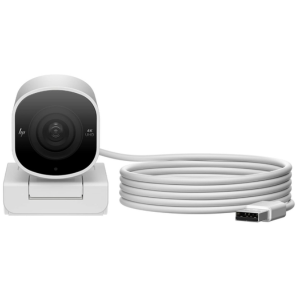

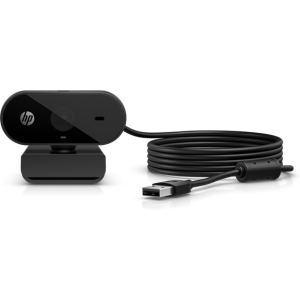
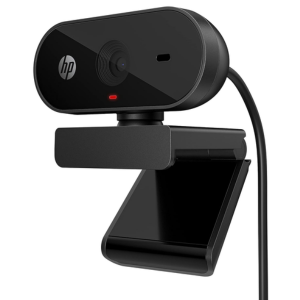
Why Nagpur buys from Computer Central?
Installation & Setup Services
Webcam Repair Services
Upgrade & Replacement Services
Troubleshooting & Support
Do webcams have built-in microphones?
Yes, most modern webcams come with built-in microphones, allowing you to transmit both video and audio during calls or recordings.
Frequently Asked Questions
To turn on your HP webcam, open an app that uses the camera (such as Zoom, Microsoft Teams, or the Camera app on Windows). Your webcam will automatically activate when needed.
This can be due to outdated drivers, a disabled camera, or another app using the webcam. Restart your system and check the camera settings.
You can test your webcam by opening the Camera app in Windows. Just type “Camera” in the Windows search bar and click on the app to see a live feed from your webcam.
Absolutely. Simply connect the USB webcam to your device, and it should automatically be recognized and ready to use.
To turn on your HP webcam, open an app that uses the camera (such as Zoom, Microsoft Teams, or the Camera app on Windows). Your webcam will automatically activate when needed.
This can be due to outdated drivers, a disabled camera, or another app using the webcam. Restart your system and check the camera settings.
You can test your webcam by opening the Camera app in Windows. Just type “Camera” in the Windows search bar and click on the app to see a live feed from your webcam.
Absolutely. Simply connect the USB webcam to your device, and it should automatically be recognized and ready to use.
What Customers Say about Computer Central
Rated by 100+ Customers on Google
I highly recommend this place. It's a one-stop solution for all your computer and laptop needs, with Nishit's knowledge and integrity making the experience even better!
Sibtain
The costumer experience is very good and service is also top notch !! Must visit!
Vansh Dubey
Upgrade Your Virtual Meetings with This HD Webcam
Get a Free Consultation at Computer Central.
Professional-Grade Webcam for Work, Streaming & More.